

Courses (Security Awareness Training)
Courses are training modules that are shown to employees after they fall for a phishing simulation. They educate users on how to recognize phishing attempts and improve security behavior.
8.1 Course List
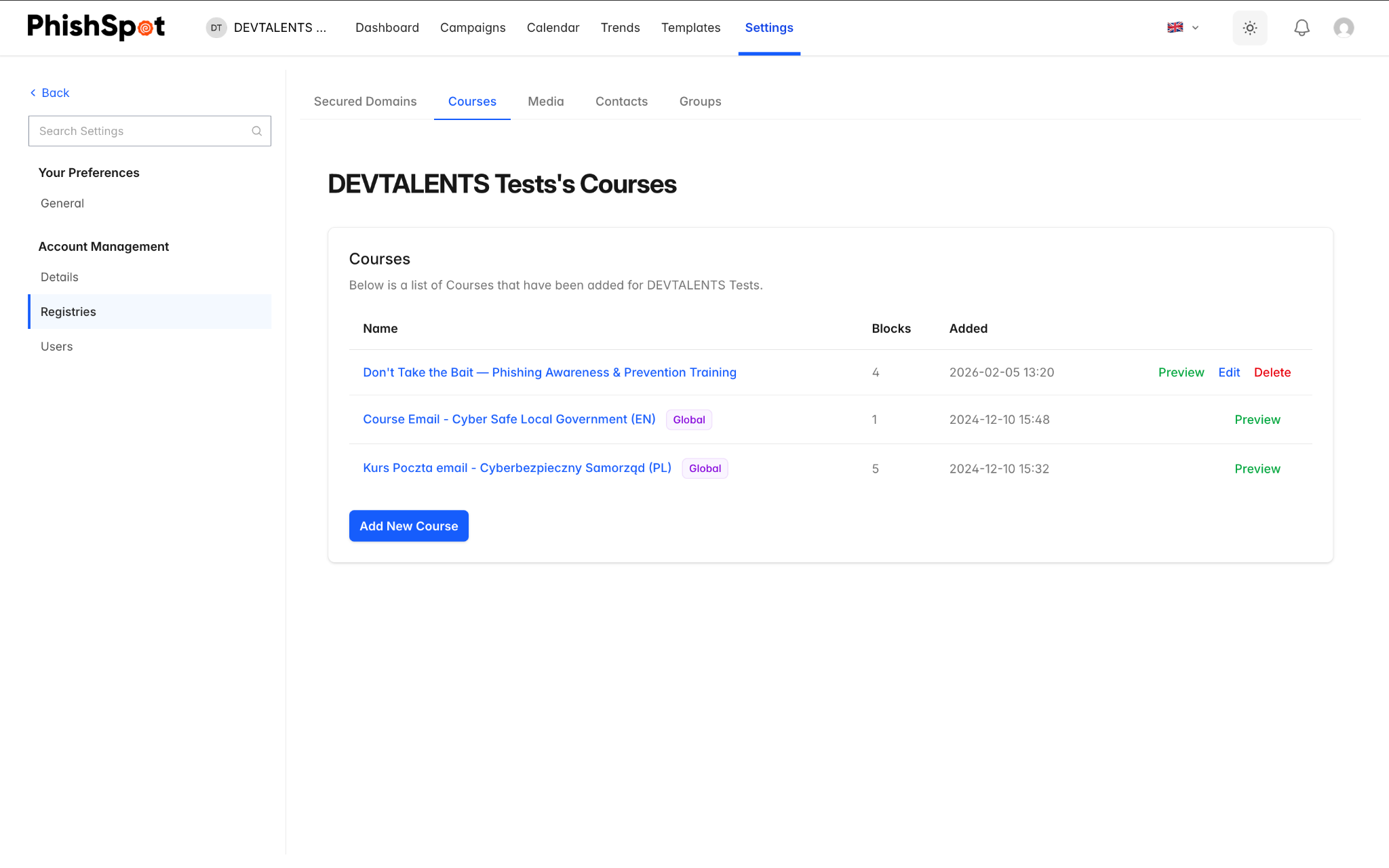
Section titled “8.1 Course List”Navigate to Settings → Courses. The list shows all available courses with:
| Column | Description |
|---|---|
| Name | Course title (with a purple “Global” badge if it’s a platform-provided course) |
| Blocks | Number of content blocks (lessons, quizzes) in the course |
| Created At | When the course was created |
| Actions | Preview, Edit, and Delete buttons |
8.2 Creating a Course
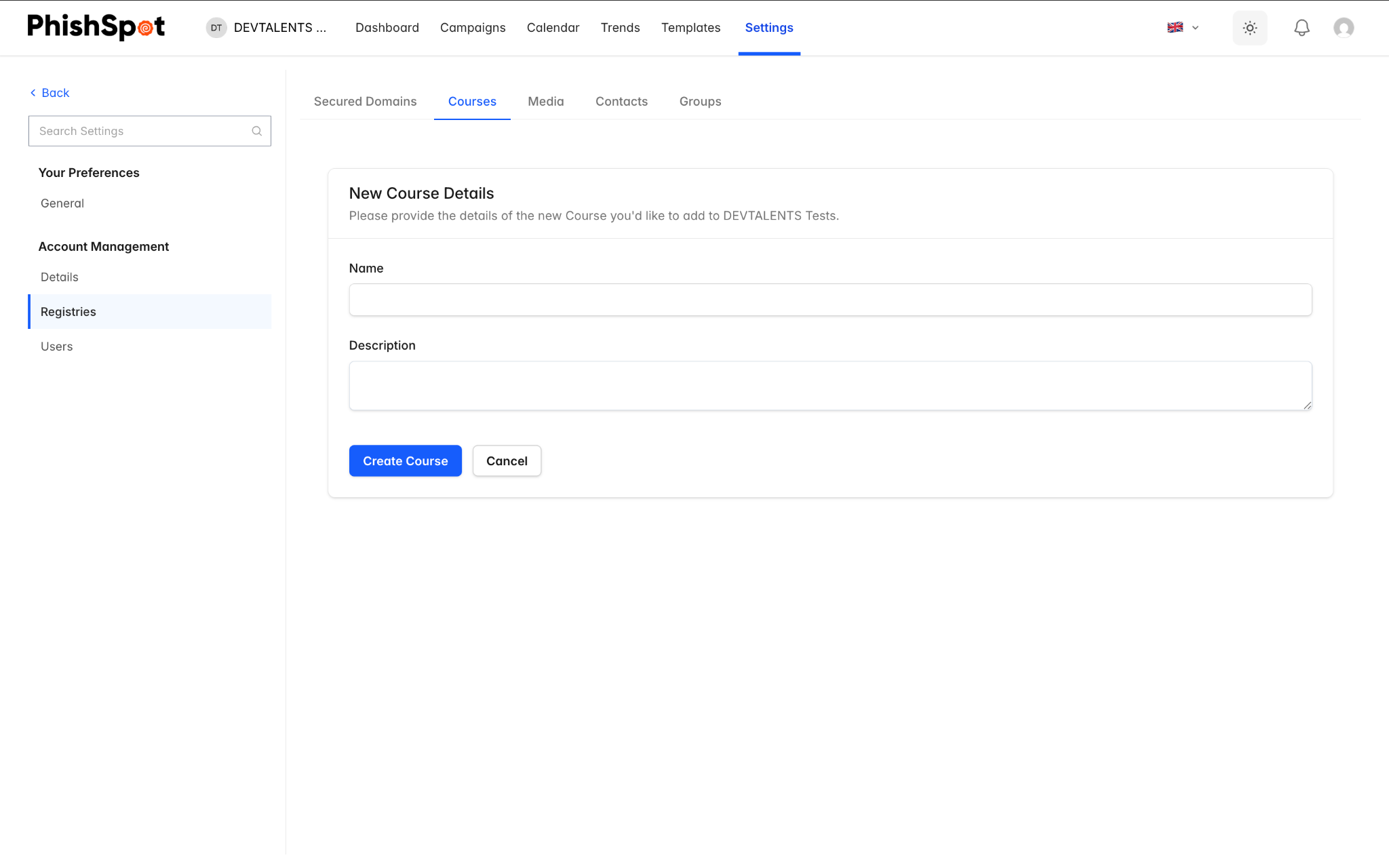
Section titled “8.2 Creating a Course”Click New Course to create a custom training course. A course is made up of blocks, which are individual content sections:
-
Lesson Blocks — Text, images, and educational content about phishing awareness.
-
Quiz Blocks — Interactive quizzes to test the user’s understanding.
Blocks can be reordered by dragging them into the desired sequence. Use the Preview button to see how the course will appear to end users.
8.3 Assigning Courses to Campaigns
Section titled “8.3 Assigning Courses to Campaigns”Courses are assigned during campaign creation in Step 4 (Post-Click Action). When a recipient clicks the phishing link or submits data on the landing page, they are redirected to the assigned course. Their progress and completion status are tracked in the campaign dashboard.
Interactive practice and verified completion
Section titled “Interactive practice and verified completion”Choose Interactive scenario when adding a block. Describe the situation, add the response options and mark the correct choices. Participants receive feedback and can retry; incorrect attempts are retained. Like quizzes, exercises must be answered correctly before completion.
A campaign retains its course version when it starts. Previously started campaigns without a retained version capture one at the first training entry. Editing the source course later does not change the retained lessons, answer key or files.
Participants must visit every section and answer every quiz and interactive exercise correctly before submitting. Empty courses and quizzes without an answer key cannot be completed. A passing submission issues a PDF certificate; repeated submissions return the same certificate. Manual result edits do not issue certificates. Demo certificates carry a DEMO label.
Participants download their certificate after completion. Administrators can open Training records from the campaign dashboard to review attempts, course versions and certificates. Lesson HTML is sanitized; use the dedicated interactive blocks instead of embedded scripts.
Training invitations and course paths
Section titled “Training invitations and course paths”For a legitimate invitation, choose Redirect to course in campaign step 4 and enable Training invitation. Disable the phishing landing page in step 3. This type is fixed after launch. Opening or completing these invitations does not count as a phishing click or submission and does not increase the contact’s phishing risk score. Training campaigns are excluded from phishing trend comparisons.
A sequence can start with Assign Training. Use the Training path starter and the Passed training branch to unlock the next course. The branch requires an issued completion record for the selected earlier course; a manual training flag is insufficient. The next step becomes eligible on the next sequence heartbeat, normally within five minutes. The existing deadline controls the path for people who have not completed the course.